
Highlight countries
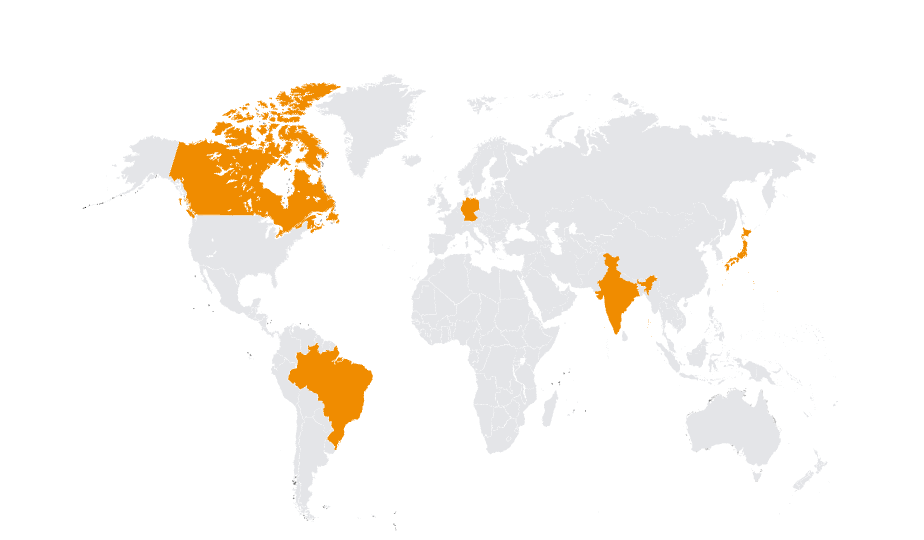
Highlight countries on a map in seconds.
Click countries, search them by name, or paste a whole list — Mappeus matches it, colors it, and exports a clean map wherever you need it.
Start highlighting →Free to start, no sign-up. Runs in your browser.
The problem
It’s a five-second idea. It shouldn’t take an hour.
“Just highlight these countries on a map” sounds trivial until you’re editing an SVG at midnight, double-checking which shape is Slovakia and which is Slovenia.
Mappeus turns it back into a five-second job: every country is clickable and searchable, ready-made groups cover EU, NATO, G7 and more, and you can paste a plain-text list of names and have the whole selection made for you.
How it works
Three ways to select, one click to color.
Point at the map
Every country is clickable. Click to add, click again to remove — the selection is always visible.
Type a name or a group
Search “Japan”, “EU” or even “NATO in blue” — smart commands select and color in one go.
Drop in a list
Paste country names from a spreadsheet or email, and Mappeus matches them all at once.
Use cases
What people highlight.
- 01Countries visited, served or shipped to
- 02Study or survey coverage for research papers
- 03Treaty, membership and alliance maps
- 04Travel plans and bucket lists
Why Mappeus
Built for the map, not the software.
Faster than design tools
No layers to ungroup, no countries to hunt for. Select, color, export — minutes, not hours.
Looks intentional by default
Hand-crafted map geometry, curated themes and precise brand colors keep every export presentation-ready.
The right file, automatically
Pick where the map is going — Mappeus prepares the correct format, size and resolution for that destination.
Everything stays editable
SVG exports keep every country as a separate named layer for Figma, Illustrator, Sketch or Affinity.
FAQ
Good questions.
How do I highlight countries on a world map for free?
Open the Mappeus editor, click or search the countries you want, pick a color, and export. It runs in the browser, free, with no sign-up.
Can I paste a list of countries?
Yes — paste names separated by commas or line breaks and Mappeus selects every match, telling you about anything it couldn’t find.
Can I use more than one highlight color?
Yes — make as many color groups as you like; each becomes a row in the auto-built legend.
What do I get at the end?
A PNG, SVG or PDF sized for your destination — slides, social, Figma, print — with the highlighting exactly as you set it.
Start now
Highlight your countries now.
Open the editor and click your first country — the rest takes seconds.
Free to start, no sign-up.